•
Blog

Every service business has a slow season. For some it's predictable, a stretch on the calendar when demand dips and the phone goes quiet. For others it sneaks up: a slow week, a few cancellations, and suddenly the schedule is thinner than it should be.
The instinct in those moments is to ride it out or start spending on ads. But the fastest way to fill your calendar isn't finding new customers—it's getting back in front of the ones you already have.
That's exactly what Broadcasts is built for.
Introducing Broadcasts: Now Available on Pro Plans
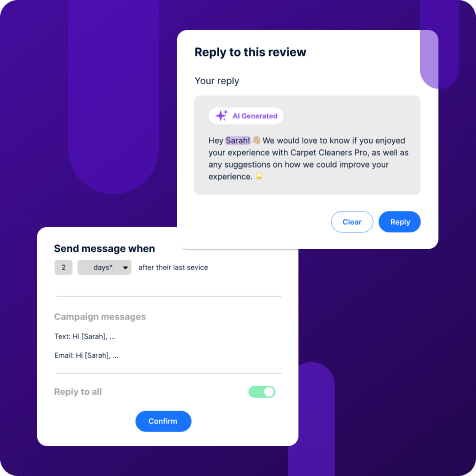
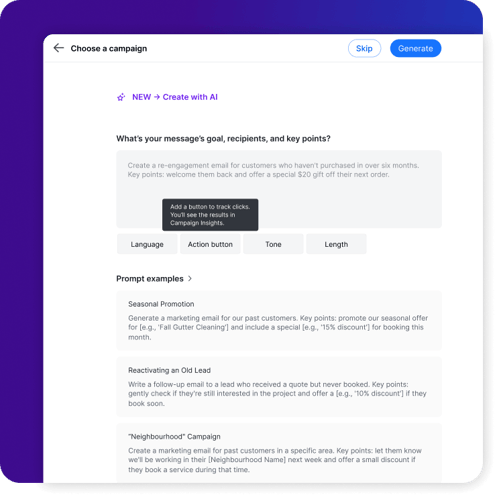
Broadcasts is a new NiceJob feature that lets you send one-off email campaigns to your customer list whenever you need to.
Unlike NiceJob's automated campaigns (which run in the background collecting reviews and referrals without you lifting a finger) Broadcasts is for when you have something specific to say and want to say it now:
-
A slow-season promo
-
A check-in to customers you haven't seen in a while
-
An announcement about a new service
-
A heads-up before your busy season starts
You pick the audience, write the message, and send. That's it.
Broadcasts is available exclusively to NiceJob Pro plan customers. If you're on Pro, you'll find it in your dashboard.
Why Your Existing Customer List is Your Best Marketing Asset
Before getting into how to use Broadcasts, it's worth understanding why your past customer list is so valuable—and why so few businesses actually use it.
A customer who's already hired you has done three things a cold lead hasn't: they found you, trusted you enough to book, and were happy enough to pay. That's a significant amount of trust already established.
Converting them again costs a fraction of what it takes to win a new customer from scratch.
The problem isn't that these customers don't want to come back. In most cases, they do. They just forgot about you, assumed you'd reach out if you had availability, or got busy and never got around to rebooking. A single, well-timed message fixes all of that.
Most service businesses don't lose past customers to a competitor. They lose them to silence.
What to Send (and When)
Here are four messages that work well as Broadcasts, with examples you can adapt and send today.
1. The Slow-Season Promo
When to send it: When your calendar has gaps and you need bookings quickly.
Pick a service you want to fill, attach a simple incentive (a discount, a bundled offer, priority scheduling) and send it to customers who've booked that service before. The more specific the audience, the better the response.
Example message:
"Hi [first name], it's [name] from [company]. We have some availability in [month] and are offering [incentive] for returning customers. Want to get on the schedule? Reply here or book at [link]."
Keep it short. One offer, one ask, one link.
Why it works: You're not interrupting a stranger, you're reaching out to someone who already said yes to you once. The barrier to rebooking is much lower than it looks.
2. The Pre-Season Heads-Up
When to send it: Four to six weeks before your busiest time of year.
The best time to fill your calendar is before demand peaks. If spring is your busiest season, reach out to last year's customers in late winter. If summer is peak time for you, get ahead of it in May.
Getting existing customers booked early means you're not scrambling for new ones when demand hits and it makes customers feel like you thought of them, which builds loyalty over time.
Example email:
Subject: Booking up for [season]—want to get you on the schedule
Hi [first name],
[Season] is coming up fast, and we're already starting to fill the calendar. We wanted to reach out to our returning customers first before opening up availability more broadly.
If you'd like to get on the schedule, just reply here or use the link below.
[Book now]
3. The Win-Back Message
When to send it: To customers who haven't booked in 12–18 months.
This is the most underused message in service marketing, but actually gets customers returning. Pick customers who've gone quiet and send a short, warm check-in. You don't need a discount—just a genuine reason to reconnect.
Example email:
Subject: It's been a while—we'd love to help again
Hi [first name],
It's been a little while since we last worked together, and we wanted to reach out. If you're due for [service], we'd love to get you back on the schedule.
As a returning customer, you'll always be a priority for us.
[Book now]
Why it works: A meaningful portion of the people who receive this will book. Some of those will leave a review. A few will refer someone new. One message, multiple outcomes—and it costs you almost nothing to send.
4. The New Service Announcement
When to send it: Any time you add a new offering to your business.
Your existing customers are the first people who should know when you expand your services. They already trust you, they already know your work, and they're far more likely to try something new from a business they've used before than a stranger would be.
A short Broadcast gets the news out fast—no campaign-building required.
Example message:
"Hi [first name], we've just added [new service] to our offerings at [company]. As one of our customers, we wanted you to hear about it first. Interested? Reply here and we'll get you set up."
A Few Things That Make Broadcasts Work Better
-
Keep the message short: The goal is to feel like a message from a real person, not a newsletter blast. One clear point, one clear ask.
-
Segment your audience: Sending to customers who've booked a specific service will always outperform sending to everyone. Broadcasts lets you filter your audience so the message stays relevant.
-
Timing matters: Mid-morning on a Tuesday, Wednesday, or Thursday tends to perform well for service businesses. Avoid sending on Monday mornings or Friday afternoons.
-
Follow up on replies; A Broadcast starts the conversation—make sure someone is ready to respond when bookings or questions come in.
How to Send Your First Broadcast
Broadcasts is available now in your NiceJob Pro account. Here's how to get started:
-
Find Broadcasts in your NiceJob dashboard
-
Select your audience: your full contact list or a specific segment
-
Write your message and preview how it'll look
-
Send immediately or schedule it for the right moment
If you're not sure where to start, a win-back message to customers you haven't seen in over a year is one of the easiest, highest-return messages you can send. Pick that audience, write three sentences, and send it. You'll hear back.
Not on Pro yet?
Broadcasts is exclusive to NiceJob Pro. If you're on a different plan and want access to Broadcasts (and more), upgrading only takes a few minutes.
Upgrade to Pro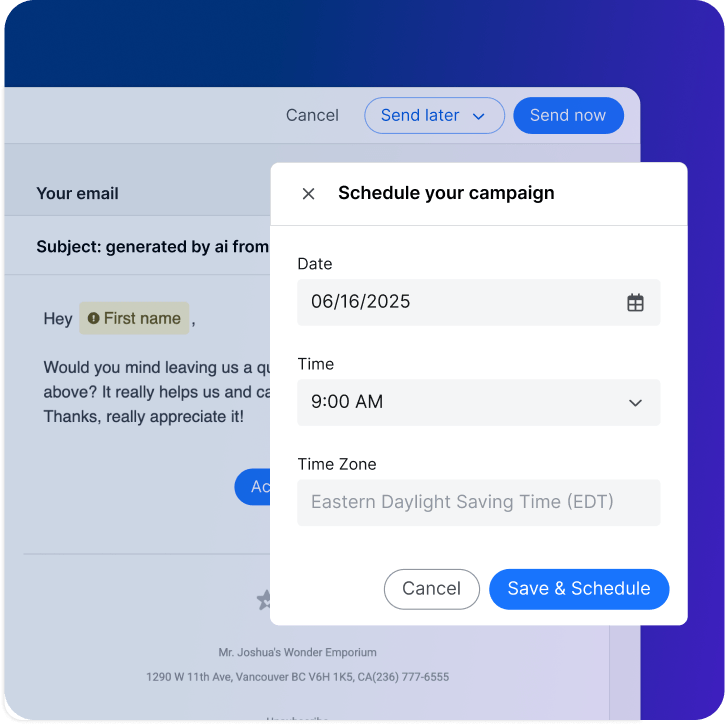
Your List is Ready. Use it.
Every customer in your NiceJob account is a relationship you've already built. Broadcasts gives you a direct, simple way to activate that list—on your schedule, for whatever you need.
You don't need a big budget or a complicated strategy. You need the right message, the right audience, and a tool that makes it easy to send.
That's what Broadcasts is for.