•
Blog

Last Updated: May 2026
Your Google Business Profile (GBP) is no longer just a listing. It is the front door to your business. And in 2026, that door is being opened by AI.
When someone searches for local services, Google does not just show a list of businesses anymore. It now generates an answer for you. Google’s AI Overviews, powered by Gemini, summarize the best options, and Google Maps pulls real-time data from business profiles. The search for home services is now faster than ever.
This shift has changed what it means to rank well as a home service business. And if your Google Business Profile is not optimized, you’re missing the chance to get discovered on both search and AI.
This guide walks you through every important step of an optimized Google Business Profile in 2026. Not just what you need to do, but also why it matters.
Why Your Google Business Profile Matters More Now In 2026
More than 51% of Google searches now end without a click. This means that people are finding what they need directly in the search results. They can search for your service, see your rating, read your reviews, check your operational hours, and call you without ever visiting your website. So, your GBP is now your storefront, and optimizing it will be your biggest opportunity.
Google’s AI Is Reading Your Profile
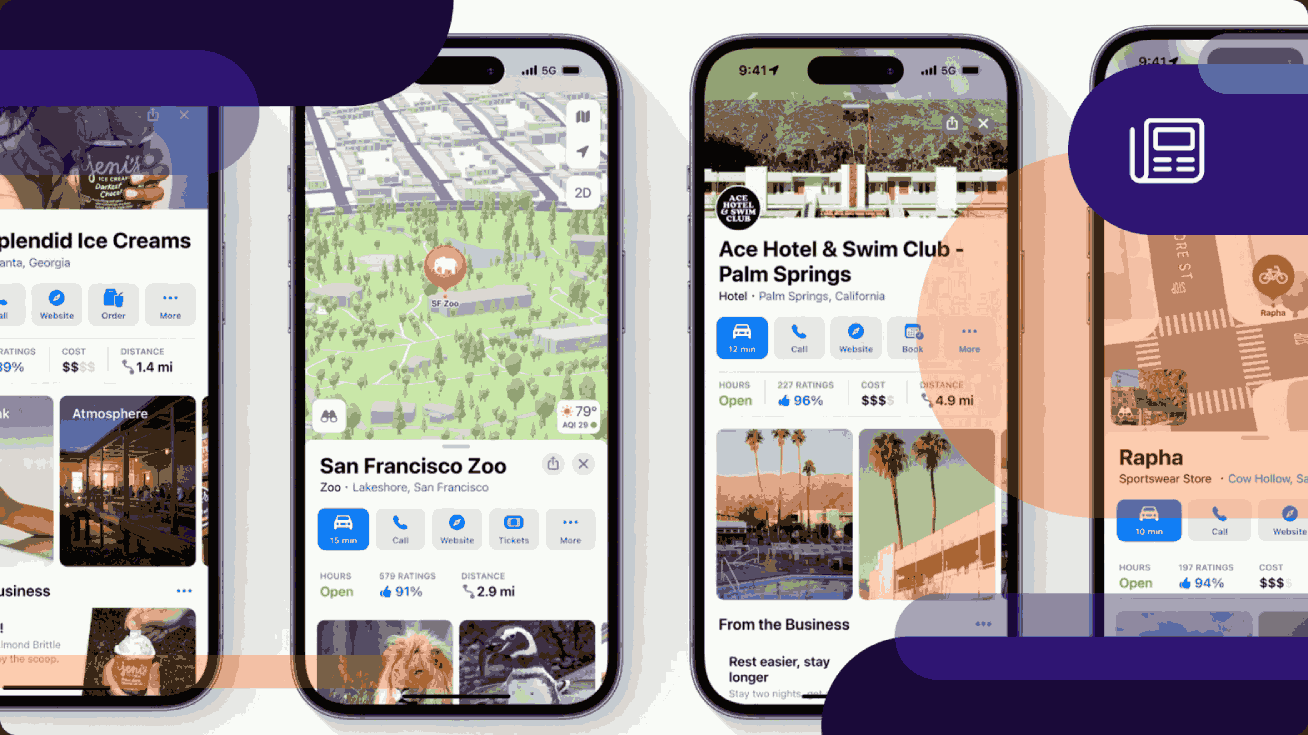
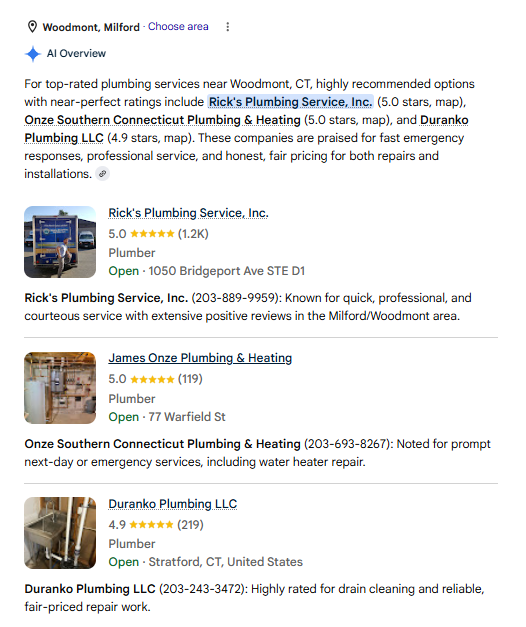
Google’s AI Overviews and Google Maps results directly pull from your GBP data. When a homeowner asks Google, “who’s the best plumber in Woodmont, Millford?” Google’s AI is reading data from profiles alongside websites. In fact, over 40% of local searches now have an AI summary card that recommends a business before you even get to the list of businesses. A fully complete, active profile feeds Google’s AI exactly what it needs to recommend your business, whereas an incomplete one gets filtered out before a person sees it.
This trend extends beyond Google. ChatGPT, Perplexity, and other AI tools are increasingly pulling from review data for local business queries. 22% of customers now use AI tools to find service providers, and this number is expected to grow. It’s the information from your GBP that feeds those recommendations, so keeping it current is essential.
In 2026, the businesses gaining ground all share one thing in common: an active, complete, and authentic Google Business Profile backed by real photos, consistent reviews, and specific local content.
Step 1: Claim And Verify Your Profile (The Right Way)
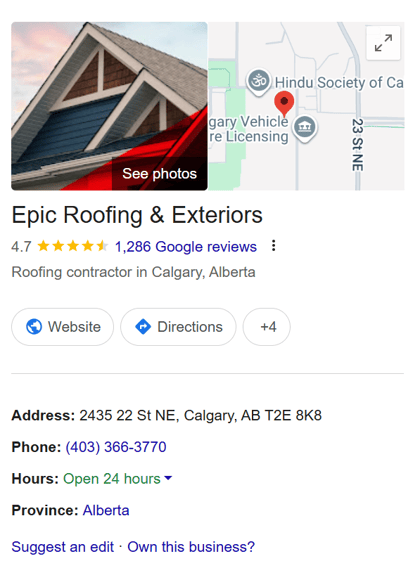
An unclaimed profile is a live listing that Google is filling in with whatever data it can find. Claiming your profile gives you control over the information that appears in Google search, Google Maps, and any AI Overview that references your business.
Along with claiming your listing, you can also verify your business. Verification tells Google that your business is real and legitimate—it’s one of the clearest trust signals you can provide.
How to Claim and Verify Your Listing
-
Find your business: Visit Google Business and search for your business name. If it already exists, you will see a prompt to claim it.
-
Claim your business: If your business has a partial profile built by Google. Claim the profile and conduct an audit. Double-check your business details, remove any duplicate listings, and correct any information that’s inaccurate or outdated.
-
If not, add your business: If your business profile doesn’t exist, select “Add your business to Google”. Then, follow the prompts to confirm your business name, category, address, service area, phone number, and website.
-
Complete verification: You can choose more than one method of verification available.
-
-
Video: This is the most common method in 2026. Record a video that shows your business location or a branded service vehicle, the interior or your work equipment, and proof that you manage your business (opening a cash register or showing a business permit).
-
-
-
Live video call: A Google representative conducts a real-time video call to visually confirm your location, your business, and proof of management. It’s important to note that this method is not widely available.
-
-
-
Phone: Google calls or texts a verification code to the number associated with your profile.
-
-
-
Email: An email is sent with a verification code to the email address connected to your Google Business Profile.
-
-
-
Mail: A postcard with a verification code is sent to your business address, which you then enter online to confirm your listing.
-
If your business profile is already claimed by another person (i.e. like a previous owner) Google prompts you to request access from the current owner to transfer ownership over to you. For home service businesses, it’s best to contact support.
Step 2: Choose The Right Primary Category
Your primary business category is the most important optimization decision you will make. It defines which search queries you compete in. Choosing the right category is important. If it is too broad, you are left competing in a massive pool while missing out on the specific, high-intent searches that actually convert.
Select the most specific category that accurately describes your core service. If your business offers multiple services under one roof, choose the category that represents your most profitable service as the primary. Your secondary categories handle the rest.
Google allows you to add up to nice secondary categories. Use them to cover every service line your business offers. Each category expands the set of search queries you can appear in. Only add categories for services that you consistently offer. Google’s quality systems detect mismatches between claimed categories and actual customer reviews, so discrepancies between both can hurt your online visibility.
Here are some examples of what your service categories may look like:
|
Primary Categories |
Secondary Categories |
|
HVAC contractor |
Air conditioning contractor Heating contractor Furnace repair service Ventilation service Air duct cleaning service |
|
Electrician |
Lighting contractor Electrical installation service Electrical repair service Outdoor electrical service |
|
House cleaning service |
Carpet cleaning service Moving-related cleaning service Window cleaning service Upholstery cleaning |
Step 3: Complete Every Field
An incomplete profile not only looks bad to customers, but it also reduces Google's confidence in your business. When Google cannot determine exactly what your business does, where it operates, and what experience customers can expect, it becomes less likely to surface your business in search results. Every field you complete reduces uncertainty and increases the likelihood that it will recommend you.
In 2026, Google’s AI systems will check your profile fields to generate answers for AI Overviews. A business description with a service area, attributes that confirm you offer free estimates, and services with clear descriptions all feed the AI-generated answers.
These are the fields that matter most:
-
Business name: Use the same name that’s on your signage, website, and other directories. It’s best not to add keywords, city names, or service descriptors to your business name (e.g., “Smith Plumbing—Best Plumber in Denver”). This violates Google’s guidelines.
-
Address/service area: If you're a service-area business, list your service area instead of a home address. Accurately representing your service area increases your relevance signal in the area where you win most of your jobs.
-
Phone number: Use a local number so customers can reach you during business hours rather than a toll number. Consistency matters here, too. This number should match what appears on your website.
-
Website URL: Link to a fast, mobile-optimized webpage with location-relevant content since Google cross-references your GBP with your website.
-
Hours: Set accurate regular hours and update holiday hours. A listing that appears open during a time your business is closed creates a negative customer experience that Google actively works to avoid.
-
Services: List every service your business offers. Each service can have its own name and description. Google's AI pulls from this list to match your profile to queries based on the service descriptions you listed.
-
Business description: You have 750 characters. Lead with your most important service and location. This is where you cover what makes your business genuinely different (e.g. years in business, specific certifications, specializations, or service guarantees).
-
Attributes: Tick every relevant attribute (e.g. veteran-owned, women-led, free estimates, 24/7 availability, background checked, etc.).
These attributes are signals that feed Google’s AI for conversational searches like “HVAC company near me that offers free estimates.” If you don’t have this attribute listed, your business will not appear in the results.
Pro Tip: Your business name, address, and phone (also known as NAP) must match exactly across Google, Apple Business, and all other business directories. Your NAP data helps your business stay visible and trustworthy across different platforms.
Step 4: Build A Photo and Video Gallery That Proves Your Work
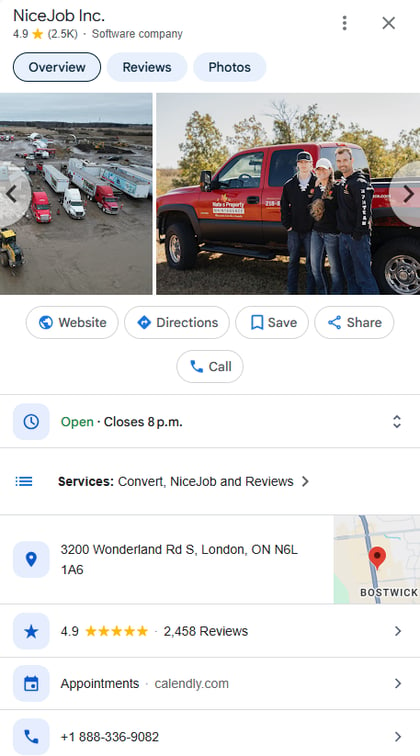
A customer scanning three businesses in Google Maps decides in seconds. Photos from real jobs signal a legitimate business and proof of quality work.
Google is now actively pushing for authentic visual content across all business profiles. The profiles that are showing up in front of high-intent customers are posting job photos consistently. Posting genuine, real-world proof of work is now essential for boosting your online visibility and outperforming your competitors.
Here are the photos you should add:
-
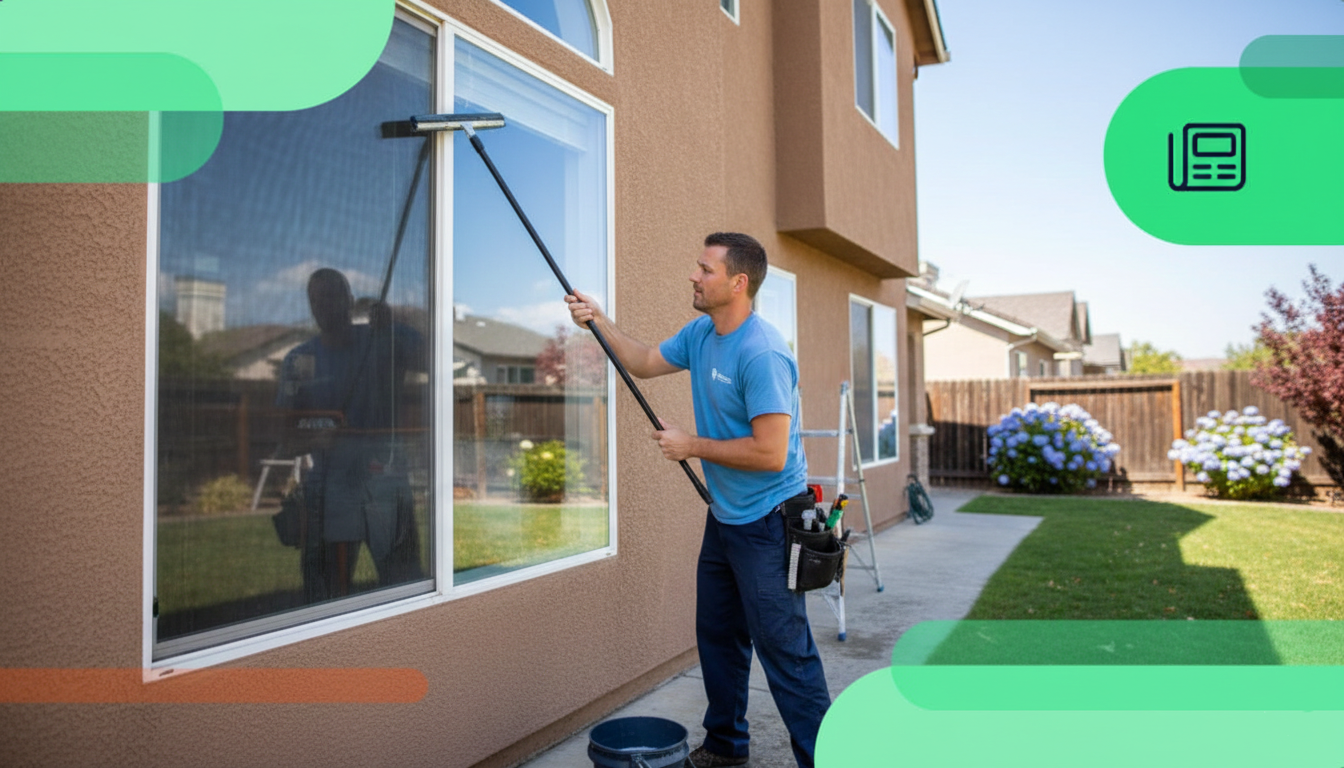
Cover photo: Your cover photo is the first image most users see. It's best to use a real, high-quality image. Think: a technician on a job site, a finished renovation, or a branded service vehicle. Your cover photo is not the best place for a logo or a stock image. Dimensions: a minimum resolution of 1080 x 608 pixels (16:9 ratio).
-
Profile photo: Use your company logo here, cleanly formatted on a solid background so that your logo is readable. Dimensions: 250 x 250 pixels and a square format (1:1 ratio).
-
Job photos: These are your highest value photos. Aim to add photos to your GBP consistently. It can be photos of before-and-afters, completed jobs, work in progress, and close-ups of quality craftsmanship.
-
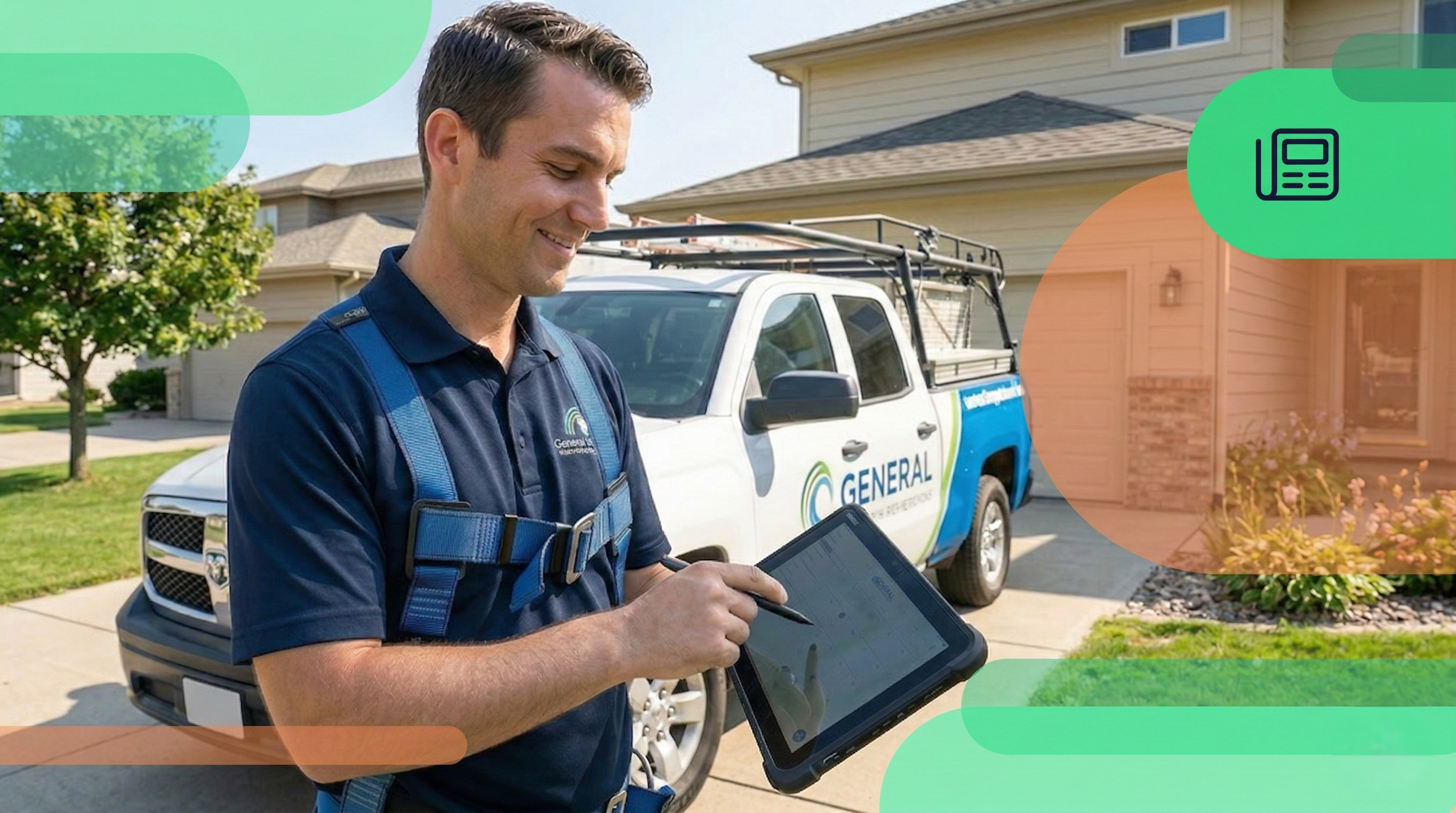
Team photos: Show your real team in various ways—in uniform, on job sites, and in front of branded vehicles.
-
Video: Short videos (under 30 seconds) are an asset for visibility in 2026. Videos boost user engagement, and that’s what Google rewards. Create a video introducing yourself as the business owner or show a quick walkthrough of a completed job.
Photo Best Practices
Google suggests adding at least three photos of your team, your work, your business location, and your branded vehicle or equipment. To make sure your photos look great, follow these tips:
-
Use real photos taken on a smartphone. They don't need to be professionally taken.
-
Make sure the pictures are well-lit, in focus, and don’t have any filters added.
-
Upload photos regularly. Consistent additions signal an active business to Google.
-
Google’s recommended resolution for photos is 720 x 720 pixels.
Step 5: Reviews—The Engine That Drives Everything
In 2026, review velocity beats the total review count: a steady flow of reviews over 90 days beats a burst of 50 that’s then followed by silence. It can actually hurt your credibility since spikes like these trigger Google's spam filter, causing legitimate customer reviews to get removed. Review velocity tells Google your business is active and winning customers on a consistent basis.
These are the reviews that matter. Google's AI reads every review your business receives. When a customer writes things like “best plumber in Lake Ridge” or “replaced my water heater the same day,” Google trusts it more because it’s content your customers wrote instead of you. Specific, detailed reviews expand your relevance for service and location-based searches beyond what your profile description alone can achieve.
Building a Review Collection System
The businesses with the strongest review profiles have one thing in common: they ask consistently, at the right moment, with zero friction. The right moment is immediately after a job is completed—when the customer is happy, and the experience is fresh.
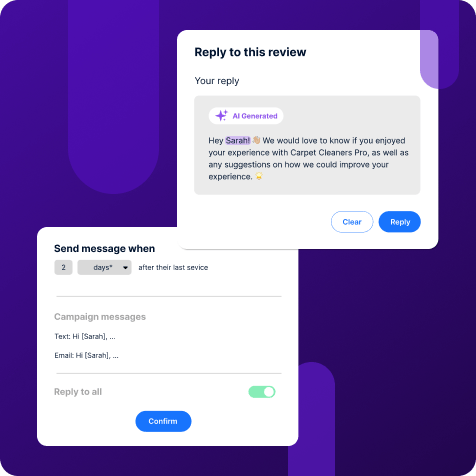
That’s what review automation software is all about. NiceJob automates the review request process—sending personalized, well-timed messages to customers after job completion, with a direct link to your review page. For home service businesses running multiple jobs a day, this type of automation is what turns an inconsistent method into a review-generating engine.
👉 Check out Why Recent Reviews Matter (and How to Get More of Them)
Responding to Every Review
How much you respond is tracked by Google as a signal of active profile management. But more importantly, your responses are also read by every future customer who checks your profile.
Now, Google is rejecting auto-generated review responses. Replies must feel authentic. Keep responses brief, genuine, and specific to that customer review. It’s best to avoid templated responses: e.g. five identical “Thank you for the kind words!” signal automation to both Google and customers.
The best automation software generates personalized, context-aware replies that sound human, stay on-brand, and free up the time you would normally spend writing replies to every single customer review.
Step 6: Post Consistently to Signal Freshness
Google Posts are often the most underused feature in every home service business's Google Business Profile. When Google generates an AI summary card or surfaces a business in the local map pack, it is predicting whether this business is a relevant, active, and trustworthy option for the user. An active posting history is a clear signal that your business is currently operating, serving customers, and is worth recommending—and it's the same for AI.
Here’s what to post:
-
Update posts: Post service spotlights, team announcements, or job highlights. These are the most flexible and stay live for longer. Add a real job photo, a brief description referencing the specific service and city, and a call to action. This is the kind of content that AI looks for and matches with specific inquiries.
-
Offer posts: Offers have higher visibility in Google Maps. This is where you post seasonal promotions, maintenance packages, or limited-time discounts. Have a clear offer title, a specific amount or percentage, and an expiry date. Offers that have an expiration date create a sense of urgency and often generate more interest from customers.
-
Event posts: This is less commonly used by home service businesses, but can be valuable for community events, open houses, and more. Make sure to add the event date and time.
Since Google is pushing for more visual content, it's best to add a real photo of your team, a job, or your business to every post.
Step 7: Track What's Working
Once you verify your GBP, you can track and analyze how potential customers are finding and interacting with your business online. Think of it like your personal report card from Google.
For home service businesses, focus on these core metrics to measure the performance of your GBP:
-
Search impressions: This metric tells you how many times your business popped up in Google Search or Maps results. This is your visibility. If this number is high, your profile is optimized well enough to be seen by many people. If it's low, you need to work on your description and services.
-
Discovery search ratio: The ratio covers how many people found you by searching for a service ("plumber near me") versus searching for your business name ("Smith Plumbing"). A high ratio of “Discovery Searches” is the strongest sign of growth. It means you're successfully capturing new customers who didn't know about you before.
-
Customer actions (calls, clicks, directions): These are the direct actions people take after viewing your profile and are the metrics that lead to revenue. You want high volume in calls, website clicks, and direction requests (this is less important for service area businesses).
-
Action rate: This is your conversion power. It tells the percentage of people who saw your profile and then took action. If many people see your listing but few click, your profile content (photos, reviews, posts) might not be compelling enough.
-
Impressions by surface: Breaks down where your profile appeared (e.g., in Maps, the business listings, or the AI Summary Card). Pay attention to AI Overviews. If your profile is being used for these AI summaries, your content is strong.
Adopt a routine approach by reviewing performance monthly to establish solid trends. The most important takeaway for optimization is to use this data to address low spots. For example, if your impressions are low, enhance your service list and check categories. Always monitor the AI Summary Card since low impressions here signal a need for an in-depth look at your GBP.
Common GBP Mistakes Home Service Businesses Make
Most profile issues are straightforward gaps which can be easily addressed once you know what to look for:
-
Leaving your Google Business Profile unverified
-
Keyword stuffing the business name
-
Setting an unrealistically large service area
-
Inconsistent NAP data (name, address, phone number)
-
Not updating hours for holidays
-
Inconsistent photo uploads or posts
-
Using stock photos or logo-only images
-
Not responding to negative reviews
-
Do not check or correct Google's auto-generated services in your profile
-
Not identifying and removing duplicate listings for the same business
-
No location-specific page on your website for GBP to link to
Win more reviews—on autopilot
NiceJob handles your reviews and replies so your profile keeps growing.
Learn More
Frequently Asked Questions
How long will it take to see results after optimizing GBP?
It typically takes 4-8 weeks for ranking changes to fully register after completing a full optimization. If you’re in a highly competitive market, it can take longer because you are closing a gap against established profiles.
Do more reviews always mean higher rankings?
No, review velocity and recency matter more than count. Having 20 reviews in the last 90 days beats 200 from 3 years ago. If you’re planning to get more reviews, consistency is key. Spikes in reviews trigger Google’s spam filter, and it may remove legitimate reviews from your profile. The best course of action is to ask for a review within 24 hours of a job's completion.
Can I have a GBP if I work from home?
Absolutely! You can set up your profile as a service-area business without a listed home address. Instead, you can define your service area. Make sure to keep it realistic and accurate to the area you serve.
Does posting on my GBP directly improve my ranking?
Posts are not a direct ranking signal in the same way that reviews are, but their value comes indirectly. Active posting signals that your business is active and currently operating. The content from your posts also helps your business get discovered in AI search when it matches specific inquiries. For example, you’re a plumber based in Los Angeles who recently published a post about sump pump installations. When a customer searches for “Los Angeles plumber who does sump pump installations,” your post feeds Google’s AI summary card, and your business is more likely to get recommended.
What's the biggest mistake businesses make?
The biggest missed opportunity is responding to reviews. You can start spending 5-10 minutes out of your day to respond to reviews. You’ll get higher rankings as a result, and your genuine replies make your business appear more professional and trustworthy to potential customers.