
Reviews are just the start.
At some point, the question shifts from “how do I get more reviews?” to “how do I keep this momentum going?” The same customers who leave feedback could be booking again, referring friends, and bringing in more work without the chase (but only if you have the right stack set up and running).
The businesses that grow don’t treat reviews as the end result—they treat them as the starting point for everything that comes next.
4 Ways to Make The Most of Your NiceJob Pro Plan:
AI Replies: Respond to Every Review, Every Day—Automatically
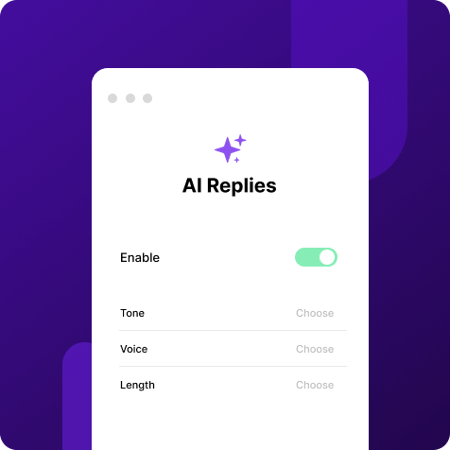
AI Replies is a NiceJob Pro feature that saves you time by automating your responses to customer reviews. You can customize length, tone, and brand voice.
Why Replies Matter for Growth
Responding to reviews is one of the fastest ways to build trust with people who haven’t hired you yet. 82% of customers are more likely to choose a business that replies to customer reviews. Every reply gives potential customers a clearer view of what it’s like to work with you—and your responses tell customers whether you value feedback and take it seriously.
For home services businesses, that matters even more. Many customers compare a few local options before they call. A business that replies consistently to reviews looks more active, professional, and trustworthy. Google sees this, too, which is why replying to reviews is one of the signals that ranks your business higher in local search results, leading to better online visibility.
Which Businesses Benefit Most from Automated Replies
If your business runs high job volume—think landscaping or cleaning services completing 10 to 20 jobs a week—reviews come in faster than any owner can keep up with manually.
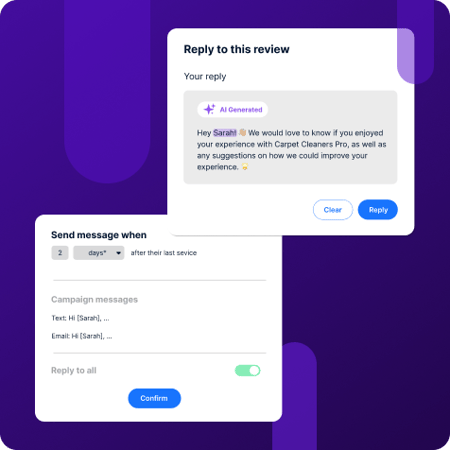
But volume isn’t the only reason automated replies matter. Writing a response that sounds genuine, on-brand, and specific to what a customer said takes more time and effort than you often anticipate. AI Replies generates a response that fits the review and matches your tone, making sure every customer feels acknowledged.
And it’s the consistent replies that build a visible track record and win hesitant customers—because a business with 80 reviews and no replies has a different impression than one where every customer is acknowledged.
New customers checking your Google listing see that pattern. That’s what drives the decision to call.
How To Configure AI Replies in NiceJob
Setting up AI Replies takes just a few minutes. Head to your NiceJob settings and enable automatic AI replies. From there, you choose three things: your brand tone, your reply style, and the length of your responses.
Based on your settings, it responds to every review automatically, in your brand voice. You get to control which reviews get an automatic reply and which ones you want to handle personally—such as when situations require more sensitivity or context. NiceJob gives you the ability to make that judgment.
What Consistent Replies Do for Your Business
Even if you spend 10 minutes daily replying to reviews, that adds up to more than 60 hours back in your year. That time can instead be spent on jobs, giving out quotes, or growing your business.
The bigger difference—more than just your time saved—is consistency. When replies depend on your schedule, they happen in bursts. A busy week translates into little to no replies. You catch up on the backlog during a slower week, but that inconsistency shows from the outside.
When replies are handled automatically, that gap disappears. Every review gets acknowledged—every time. You eliminate the backlog and the chance of a missed review. Month after month, customers see a steady pattern of responses from your business. That consistency builds confidence. With the right system, your business doesn’t just look good when you get the time. It looks active even on your busiest days.
Referrals: Turn Your Happy Customers into Your Best Lead Source
Referrals Pro is a NiceJob feature that automatically handles customer referral campaigns. It grows your customer base by taking the work out of the referral process.
Why Referred Customers Are Worth More than Other Leads
Referrals convert faster, spend more, and refer others at a higher rate. The reason comes down to one thing: trust is already formed before they contact you.
When a customer refers your business, they’re lending their own credibility. The person on the receiving end comes to you already convinced—they've seen or heard about your work through someone they trust, and that removes the hesitation most cold leads bring.
That trust also multiplies. Referred customers generate up to 57% more referrals themselves because they went through the referral process firsthand. Your reputation wasn’t a claim to a referred customer. It was proven through someone they already trusted, then proven again by the job itself. So, referring others is an easy step. It’s a different kind of customer relationship, and it’s one that keeps paying it forward.
Which Businesses Get the Most from Referral Automation
Referral automation delivers the biggest returns for businesses where a single job really matters. When a single project is worth thousands of dollars, customers don’t decide quickly. They compare, ask around, and look for proof before they commit.
That typically covers services like:
-
Roofing
-
HVAC installs
-
Major renovations
For this type of higher-value work, trust is what wins the job. Referrals carry more weight than an ad or a website because trust is already established.
How NiceJob Sends Referral Invites at the Right Moment
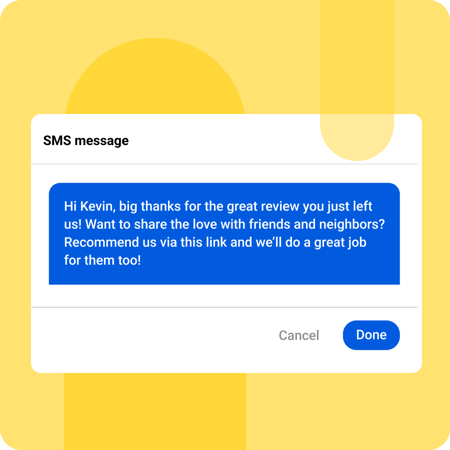
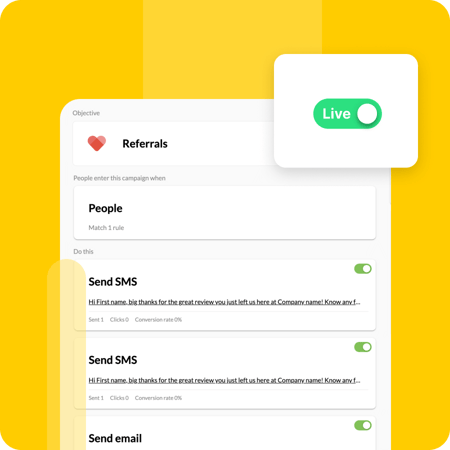
Head to the Campaigns tab in NiceJob, and click on Referrals. NiceJob sends referral invites when customers are most likely to say yes to share—right after they’ve left a review with a 4-star rating or higher. The settings are already set for campaign rules, messaging content, and timing. (If you want to change settings, you can do that too. Click on “Not meeting your needs?” and you’ll gain access to change the messaging, the timing sequence for sending the invites, and more advanced campaign rules.)
To start, simply toggle on Referrals. Once the campaign is live, referral invites automatically go out to customers who left a review within the past 30 days. They receive an SMS or email with a unique referral link—that lets you track your referral campaign performance directly in the Insights tab.
How Cathedral Roofing Grew Its Business with Automated Referrals
Cathedral Roofing, a family-owned roofing business in Southwest Florida, wanted to boost their online reputation, but they didn't have the right system in place.
After setting up automated referral requests with NiceJob Pro, they started reaching out to customers at the right moment—right after their customers left a strong review. Within a year, they saw a 22% increase in referral-based leads. For a business with high-value jobs, even a small percentage can make a huge difference.
This growth wasn't about working harder—it was about setting up the right system to run automatically. The right tool consistently makes sure that every happy customer has an easy way to refer others.
👉Learn the full breakdown in Cathedral Roofing’s case study.
Get Repeats: Win Back Past Customers
Get Repeats is a NiceJob Pro feature that boosts repeat business. It sends out automated, personalized booking reminders, giving your customers an easy way to keep coming back.
Why Your Existing Customers Are Your Most Ready Source of Revenue
Winning new customers takes time. You have to get discovered, answer questions, give out a quote, and build enough trust for someone to choose you over other competitors.
With your existing customers, that work is already done. They know your business, and they’ve seen what it’s like to work with you. These customers don’t need the same level of convincing before booking again. So, reaching out to existing customers is much easier.
It also changes how your revenue comes in. Instead of starting from scratch with each customer, you’re building on customer relationships you’ve already earned. Jobs get booked quicker, and decisions to book happen with less friction.
For home service businesses, repeat work is more predictable, too. The same customers come back for seasonal work, maintenance, and ongoing services. The opportunity isn’t creating demand from scratch anymore. It’s staying top-of-mind, so your customers come back to you when they need the job done again.
Which Businesses See the Biggest Return from Repeats
Repeat business matters most for services customers need more than once—consistently. The challenge now turns to retaining your past customers. If they forget about your business but need the service again, you’re back to square one—competing with others to get the job again.
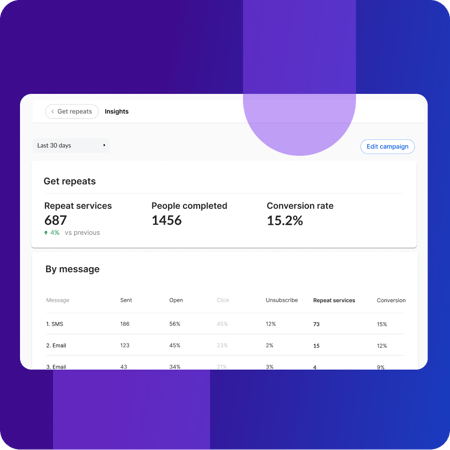
Get Repeats makes sure your existing customers remember you when it’s time to book. A few examples of businesses that love Get Repeats include:
-
Lawn care and landscaping
-
Cleaning services
-
Window washing
-
Pest control
-
HVAC maintenance
In these businesses, the demand already exists. Customers just need an easy way to book you again. And for that, you need a system that keeps your business top-of-mind—at the right time.
How to Set Up Get Repeats in NiceJob
Setting up your Get Repeats campaigns takes only a few steps, and once it’s running, it works on its own.
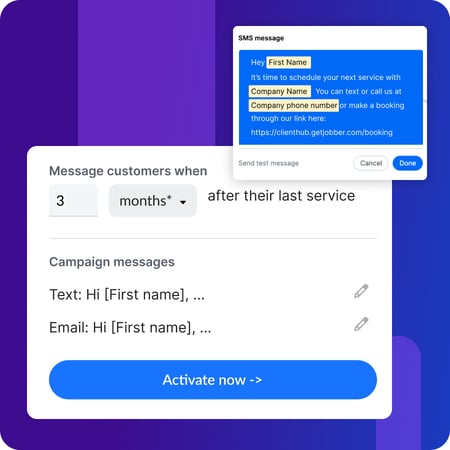
You first connect your CRM to NiceJob—this is what allows the software to know when a job is completed and when a customer is due for another service. From there, click on Get Repeats in the Campaigns tab, set the timing of when to follow up, and confirm the message content that’s already written.
Once it is live, rebooking reminders go out automatically to customers who reach the timeframe set. No need to track manually or chase customers.
What Results Look Like with Automated Rebooking Reminders
For businesses with a good volume of past customers, the returns start showing up fast.
Evergreen Cleaning, a family-owned cleaning business in Huntington Beach, CA, wanted a system to leverage their solid base of existing customers. Finding new customers took a lot of time and spending power, and they wanted a way to generate more repeat business from the customers they had already worked hard to earn.
After setting up automated rebooking reminders with NiceJob Pro, the change was almost immediate. Evergreen Cleaning received 67 repeat bookings in the first month alone—adding an $20, 000 in monthly revenue from repeat business.
👉 Read more on how Evergreen Cleaning transformed their business with NiceJob Pro.
Broadcasts: Reach Customers on Your Terms
Broadcasts is a NiceJob Pro feature that gives you a simple and easy way to connect with your customers at any time.
How Broadcasts Keeps You Connected with Customers
NiceJob’s automation builds around specific moments in the customer journey: after a job is completed, after a review is written, and when it’s time to rebook. But what happens in between?
Your ideal customer communication shouldn’t stop at these moments alone. It should continue, especially in the home services industry, where the relationship doesn’t end after one job. Staying connected to your customers is where a lot of opportunities come from.
It gives you a way to reach out when it makes sense. You can announce openings during a slow January, launch a new service in spring, or promote a limited-time seasonal offer. These messages are your way to stay connected.
Your existing customers are your most receptive audience. They know your work and trust it. Reaching out to them first can get you more bookings and sales—without spending extra money.
Which Businesses Use Broadcasts
Broadcasts matters most for businesses where there’s a gap between jobs, but the relationship needs to continue. And, this can apply to most home service businesses.
When your customers don’t have services every week, the connection gets lost because there’s no touchpoint in between.
This can look like:
-
A landscaping company that sends out an email with an early bird pricing promotion to their customers in early March—before most people have even thought about their lawn.
-
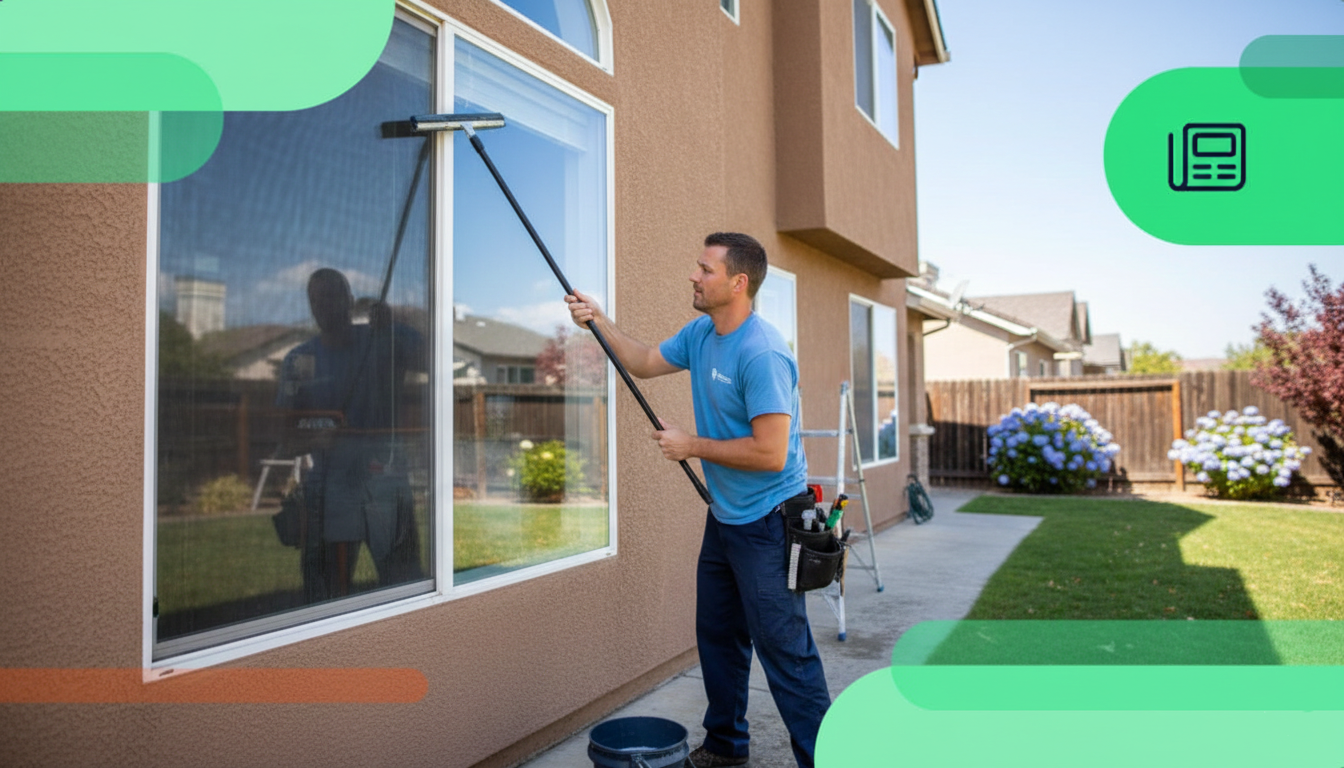
A window cleaning business that reaches out about their new pressure washing services.
-
A contractor who connects with his customers to fill a slower month with more jobs.
Customers remember their experience with your business, and Broadcasts ensures that connection doesn’t fade.
How to Create and Send a Broadcast in NiceJob
Just like other features, the setup is straightforward. Here’s how you can start:
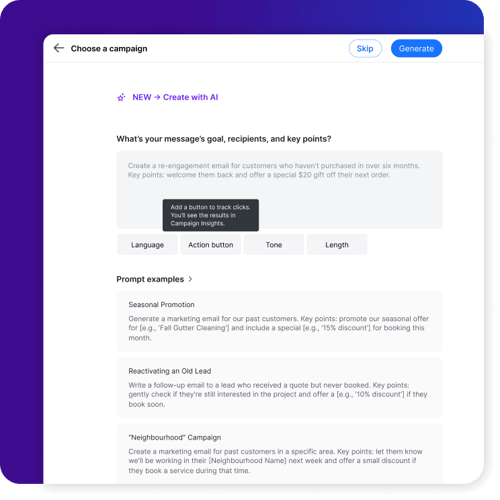
Under campaigns, click on the Broadcasts tab, and select Create a Broadcast. You can write the message yourself or use the AI prompts to get started. Broadcast lets you customize:
-
The subject line
-
The heading
-
The message content
-
The action button
From there, pick the audience segment you want to reach out to and finalize your message by adding a photo and your logo.
When you’re happy with the Broadcast, click send or schedule it for the day you want it to go out—like the day your seasonal promotion kicks off.
👉 Learn how to win back past customers and fill your slow season with Broadcasts.
Final Thoughts
An automated review request is just the beginning. And when you automate your entire post-job workflow to keep your calendar booked, manage review responses and online reputation, and keep a steady flow of referrals coming through, you’ll find that it adds up to some serious cash for your business.
The best part? Most of this can be set up to run in the background without you having to lift a finger.
If you’re curious to learn more about how much NiceJob Pro could be worth for your business, we recommend that you check out our free NiceJob Pro ROI Calculator. You’ll get to see your potential added revenue with these features based on your business’s real numbers (like frequency, review volume, and average job cost).
Find out what NiceJob Pro is worth for your business
Plug in your real numbers and see the potential.
Calculate Your ROI


.jpg)